A macOS app that stops the Magic Mouse from scrolling every time you click.
Designed, built, and shipped · Signed and notarized · Free and open source on GitHub.
Intro
The problem ships with the mouse
The Magic Mouse's whole top shell is a touch surface, and it stays live while you click. Every click is also a tiny swipe, and the page jumps.
macOS has no setting for this; the only existing fix is an undocumented preference inside a paid, do-everything app. So the checkbox became a product: a small menu-bar app, built with Claude Code.
The same click, twice
Without
The click lands, the finger rolls half a millimetre, the page jumps.
With CalmMouse
Same click. The swipe is swallowed and the page holds still.
CalmMouse succeeds when you notice nothing. This case study is about designing a product whose best outcome is invisible.
Everything applies only to the Magic Mouse. The app identifies the physical device behind every event, so the trackpad passes through untouched.
01
Block Scroll While Clicked
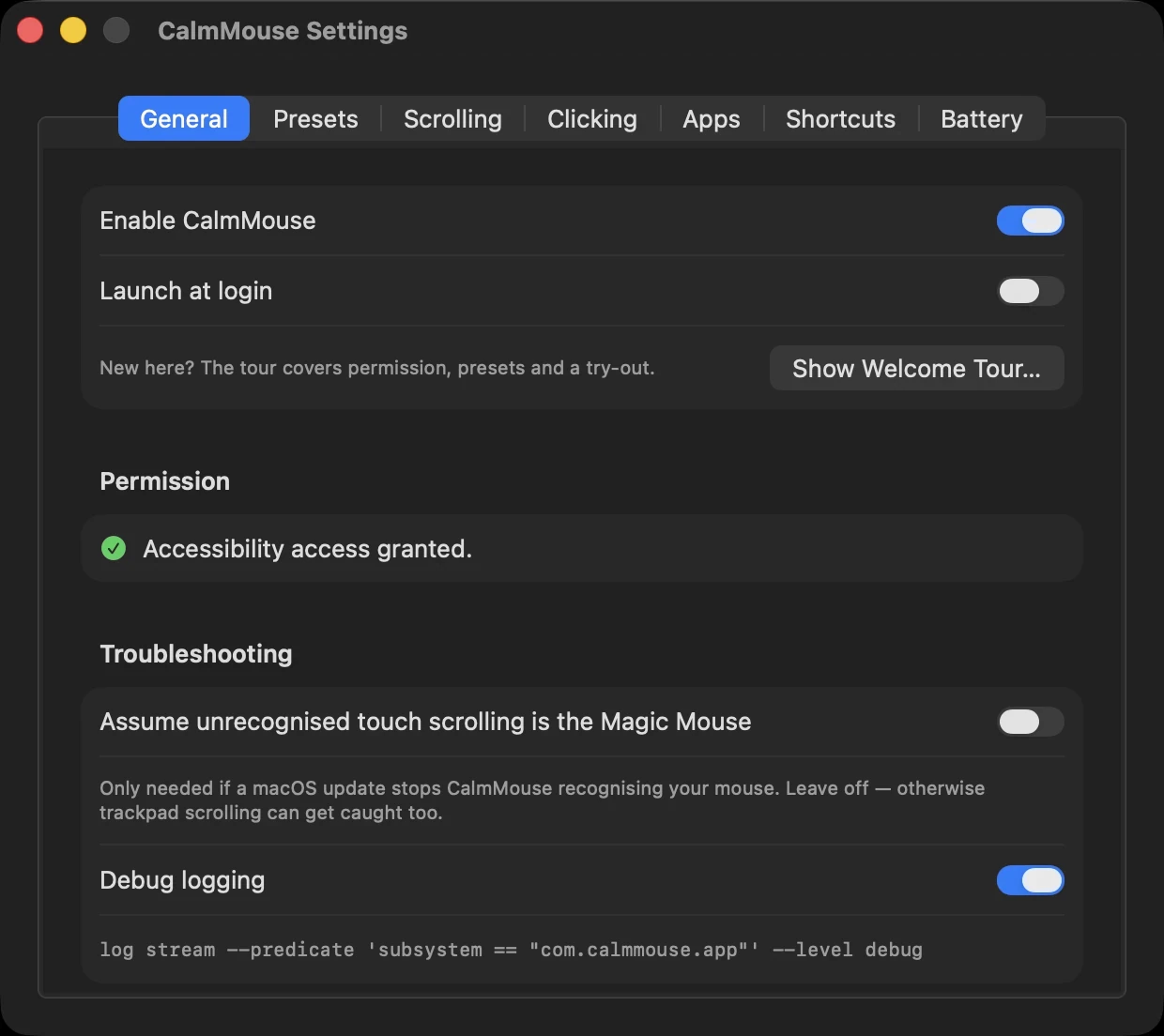
Swallows Magic Mouse scrolling while a button is down, plus a grace period for the trailing swipe.
02
Dead Zone
A gesture must travel before it counts, which kills the jitter of a finger resting on the shell.
03
Axis Lock
Once a scroll commits to an axis, the other is zeroed. No diagonal drift.
04
Tap to Click & Drag
Trackpad manners for the mouse: tap, right-tap, tap-and-drag, two-finger drag.
05
Per-App Rules
Any fix, overridden per application. No Magic Mouse scrolling in Figma at all, if you like.
06
Battery Warning
A notification before the mouse dies mid-afternoon.
Designing for Absence
Making an invisible fix visible
If the product works, nothing happens. That's a demo problem, an onboarding problem, and a settings problem. Each got its own answer.
01
The Tour Keeps Score
First launch has you try the fix live, and counts the accidental scrolls it just caught. The number is the demo.
02
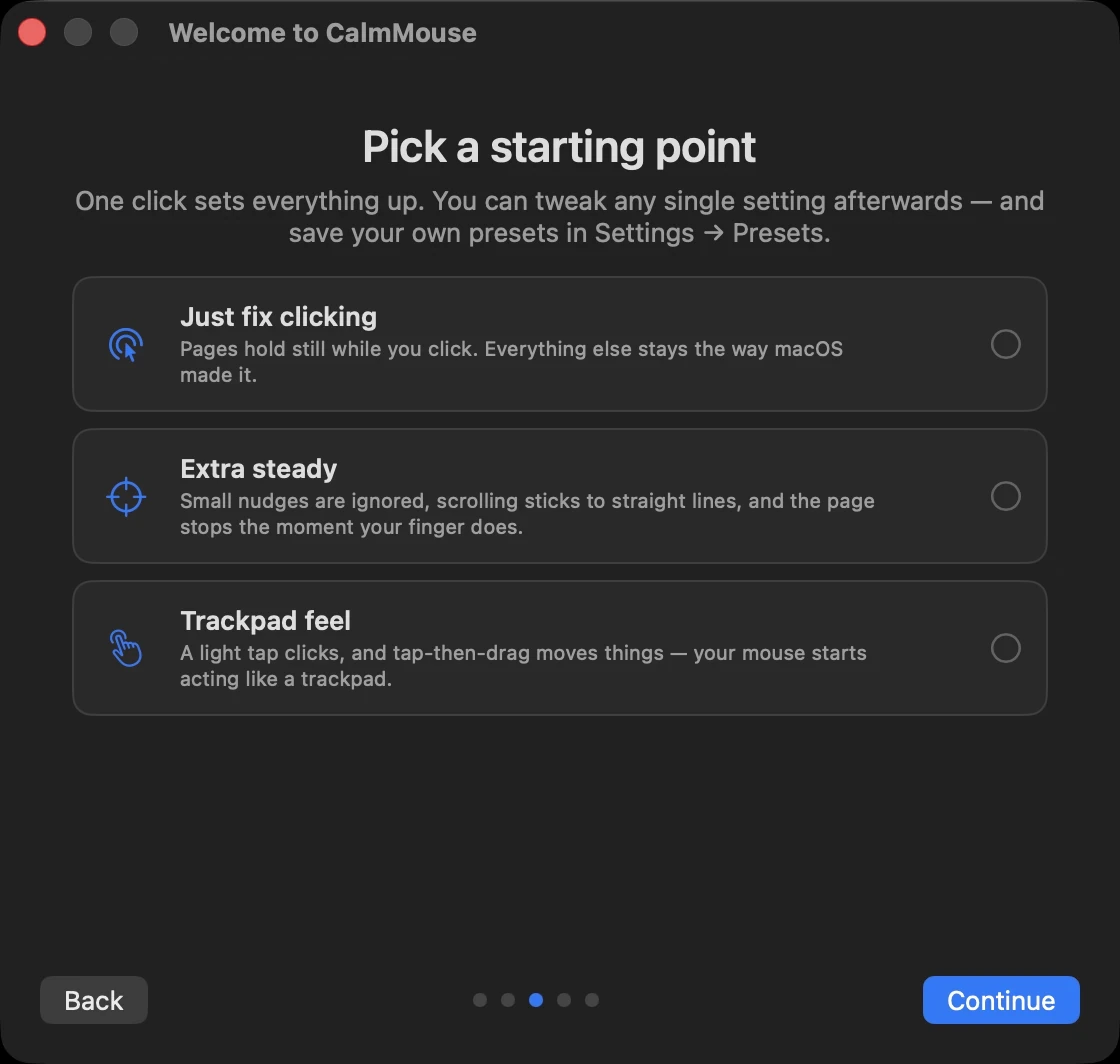
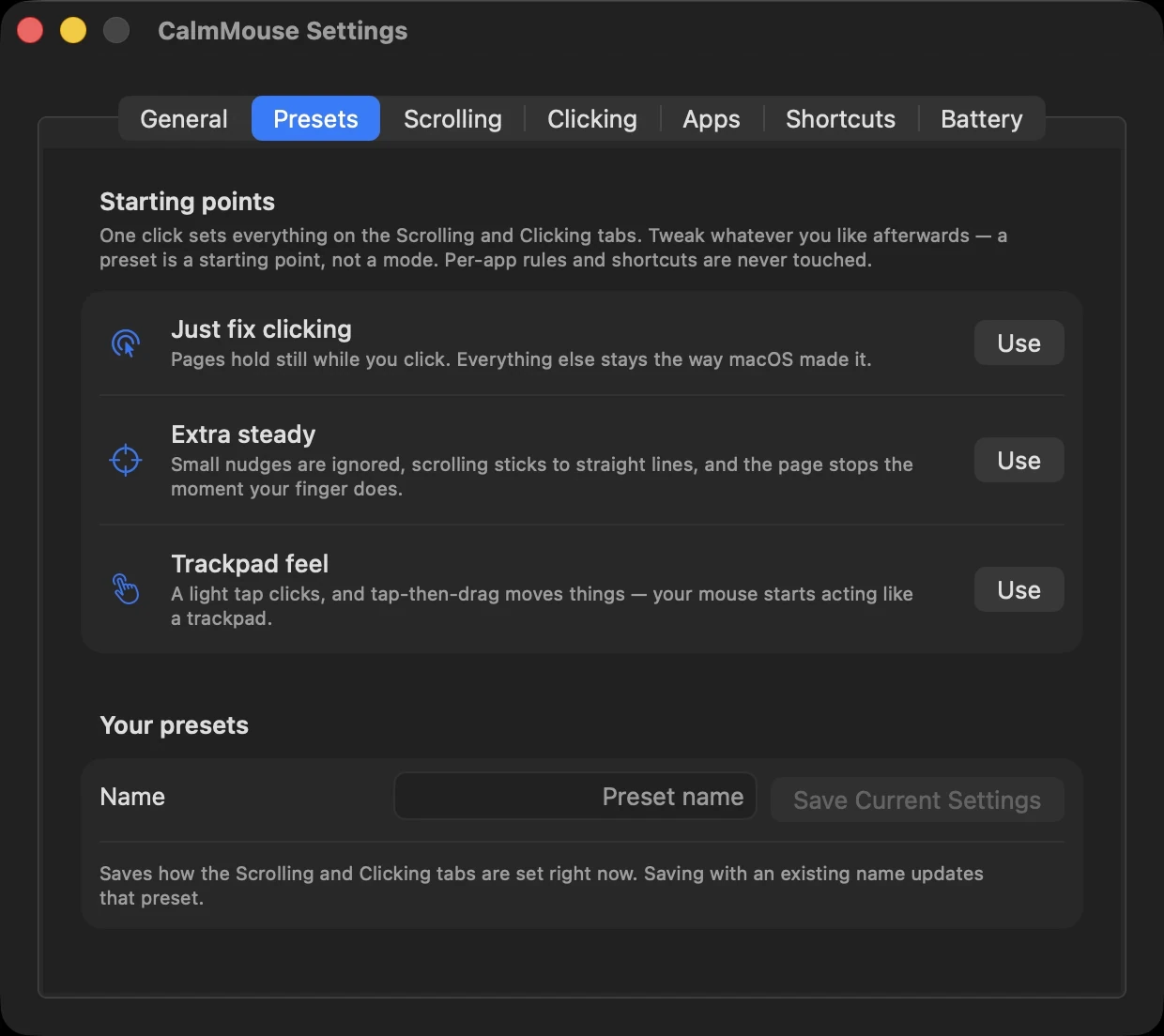
Three Opinions Before Thirteen Settings
Just fix clicking · Extra steady · Trackpad feel. One click each; everything stays tweakable after.
03
Plain English, With Proof
“Don't scroll while clicking,” not “Suppress scroll events.” Hover any setting for a little animated preview of what it does.
Milliseconds
Interaction design at 200 milliseconds
The other half of the design work lives below the UI, in the timing of events.
01
The 200 ms Grace Period
Your finger makes one last swipe as it leaves the shell after a click. Blocking keeps going just long enough to eat it, on a number tuned by feel rather than spec.
02
The Deferred Press
Tap-and-drag posts nothing until the cursor actually moves. The obvious version presses immediately, and grabs objects in Figma you never meant to touch. Deferred, a resting finger has no side effect at all.
Same craft as easing curves and touch targets, just lower in the stack, where the unit is the millisecond instead of the pixel.
Shipping
Shipping like it's a real product
A utility that runs with Accessibility access has to earn trust the way real software does.
01
Signed & Notarized
Developer ID + Apple notarization. Opens like any real app, with no security dialogs.
02
Updates Itself
Checks twice a day, verifies the new build's signature is mine, swaps in place, relaunches.
03
Private by Design
Never sees keystrokes, never touches the network beyond the update check. The README says so, plainly.
04
Godmouse → CalmMouse
The rename is the design insight restated: the product isn't power, it's calm.
Open source on GitHub, with 99 tests that run without a device or a permission grant.
Reflection
What absence taught me
Features Compound Inside One Process
Tap-to-click exists in other apps. But because CalmMouse already runs the scroll state machine, taps can be vetoed by real scrolling and physical clicks, which standalone tap apps literally cannot see. The second feature was better because the first one was there.
The Metric Measures Nothing Happening
The app counts every event it swallows. After a few weeks of daily use, that counter is the honest success metric: thousands of page jumps that didn't happen, one at a time and unnoticed. That was the whole point.