From spec to App Store in two weeks: an AI-native planner that
turns messy input into a living, timeline-aware plan
Overview
A planner that understands before it plans
Moti is an AI-native iOS planner, designed, built, and shipped end to end. Say it or type it, and it comes back as work already sorted by project, waiting for your yes.
Main ProjectAI-Native UXiOSBuilt & Shipped
Role
0→1 Product Designer & Builder
Timeline
2 Weeks · May–June 2026
Tools
SwiftUI · Foundation Models · Gemini · Claude · Codex
Type the sentence the way you would say it, lowercase and unpunctuated. What comes back is not a task in a list. It is the work pulled out of that sentence, each piece carrying the project Moti thinks it belongs to, and not one of them filed.
Drawing bars on a timeline is the easy part. The hard part is deciding that a review is an appointment, a case study is work with a duration, and a launch is a deadline. That understanding layer is the thing I got wrong twice before it behaved like this.
Understanding gets its own modelAsks instead of guessingEvery proposal can be refusedPace, not task countsThree tiers, and you pick which runs
Projects
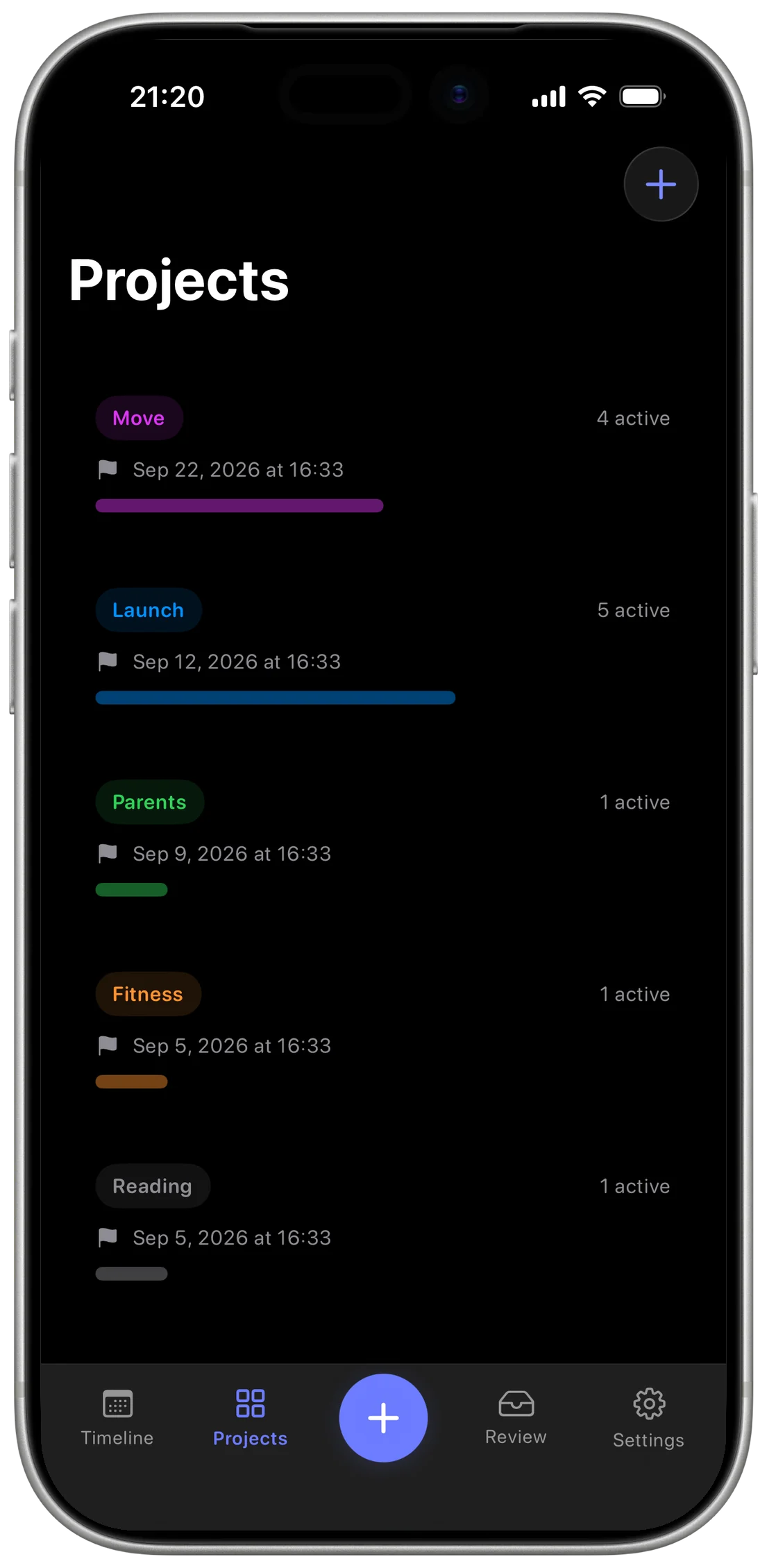
Every project with its active count, its next date, and how far it has run
Add to Timeline
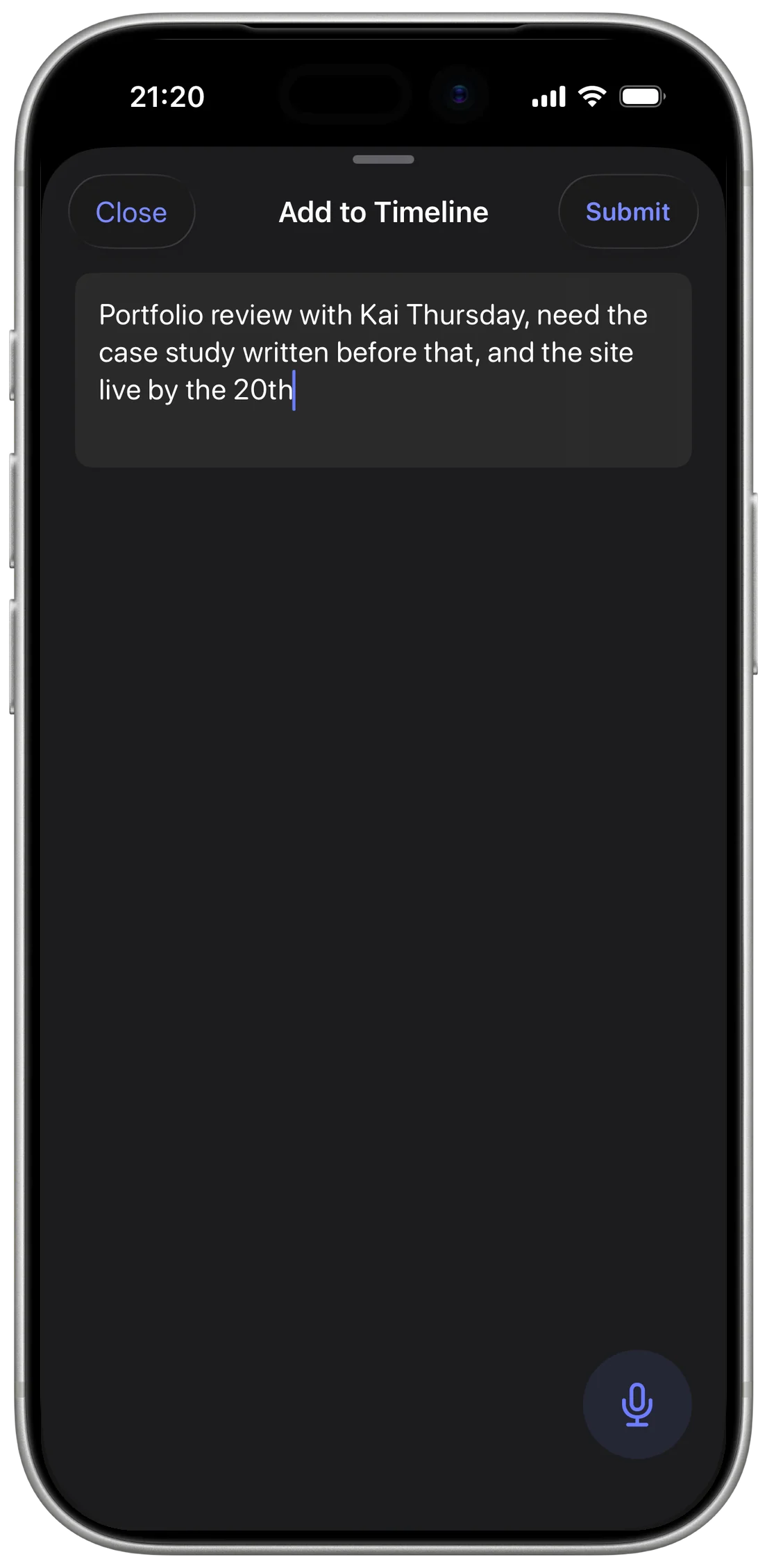
Lowercase, unpunctuated, exactly as you would say it, and Submit is the only next step
The problem wasn’t planning. It was understanding.
The Problem
The failure is between capture and action
This is not built for people who lack a system. It is built for the moment a system is already full, when what fails is not capture, and not the list that shows the result.
It is the step between the two. Something has to read what arrived, work out what it is for and when it is due, and set it against everything already owed. That step has no owner, so the input stays exactly as it landed, and the cost only shows up at the far end.
01
Overwhelming Inputs
Thoughts, deadlines, and half-formed ideas, all landing on the same day.
02
Fragmented Thinking
Nothing reads them together, so each one stays a loose end.
03
Unclear Action
The list is full, and the next move is still a guess.
Three stages, one failure, and only the middle one is worth fixing. Make capture easier and the pile arrives faster. Act on the list and you are sorting work that nothing has understood.
Competitive Analysis
Five tools, five strengths, five different gaps
Five tools answer that middle step five different ways. I looked at each one for a single thing: what happens to a sentence after you type it.
Todoist takes the sentence down. Motion schedules it for you. Sunsama asks for the discipline to plan the day deliberately. Notion holds it in any structure, after you have built one. ChatGPT reasons about it and never sees your timeline.
Five different destinations, and five different things still left for you to do once the sentence arrives.
Todoist
Great for capture
Doesn’t plan for you
Motion
AI scheduling
Can feel rigid
Sunsama
Intentional daily planning
Requires discipline
Notion
Flexible and powerful
Heavy setup
ChatGPT
Flexible thinking
Not timeline-aware
The gap is not capture. It is the step after: understanding what arrived, and keeping it moving.
Principles
Six frustrations became six refusals
Each of these frustrations names something one of those five tools does to you. I turned every one into a rule Moti had to obey.
A rule that only names a virtue can be satisfied by anything, so each of them also names the thing it rules out.
The frustration
The rule it produced
“Entering tasks is so annoying.”
Todoist
01
Natural Input
You say the sentence you were already thinking. Moti does the structuring.
Ruled out: A structured entry form as the way in.
“It’s hard to change plans when things change.”
Motion
02
Adaptive Timelines
When something changes, the plan you already have shifts to absorb it.
Ruled out: Regenerating the plan from scratch.
“I spend more time organizing than doing.”
Notion
03
Living Plans
The sorting happens when the work is captured, not in a session you set aside for it.
Ruled out: Sorting the work yourself before the timeline is usable.
“I end up with more tasks, not more clarity.”
Todoist
04
Momentum Tracking
Work shows how far along it is, and the timeline shows where the pace is heading.
Ruled out: Progress measured by how many tasks are left.
“AI suggestions don’t get my timeline or real-world constraints.”
ChatGPT
05
Context-Aware Planning
The timeline, the open projects and the commitments already made go in before anything is planned.
Ruled out: A suggestion made without the timeline in front of it.
“I just want a plan that adapts to me, not the other way around.”
Sunsama
06
Human-Centered Planning
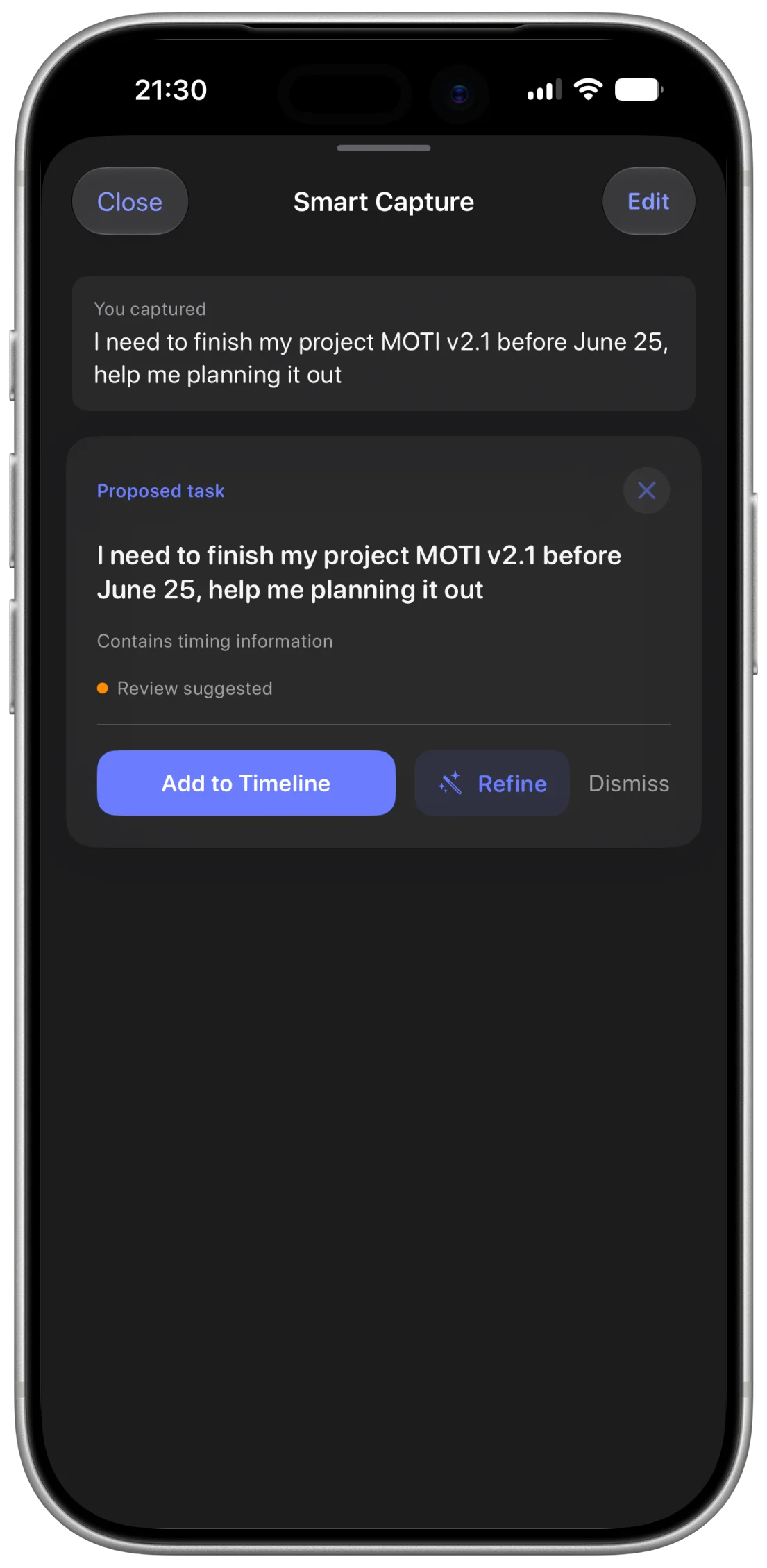
Moti proposes. You answer with Add to Timeline, Refine or Dismiss, and one of the three is no.
Ruled out: Anything landing on the timeline without a yes.
Every principle is a refusal. That is what kept Moti from becoming another place to put things.
Final Design
Seven steps from spoken to scheduled
The principles above are refusals, and refusals are cheap until a product has to keep them. So here is the loop itself, one sentence in and a plan out. Each step is there because the one before it left something undecided.
Seven Steps, One Loop
Each step picks up what the one before it left undecided.
01
Say It
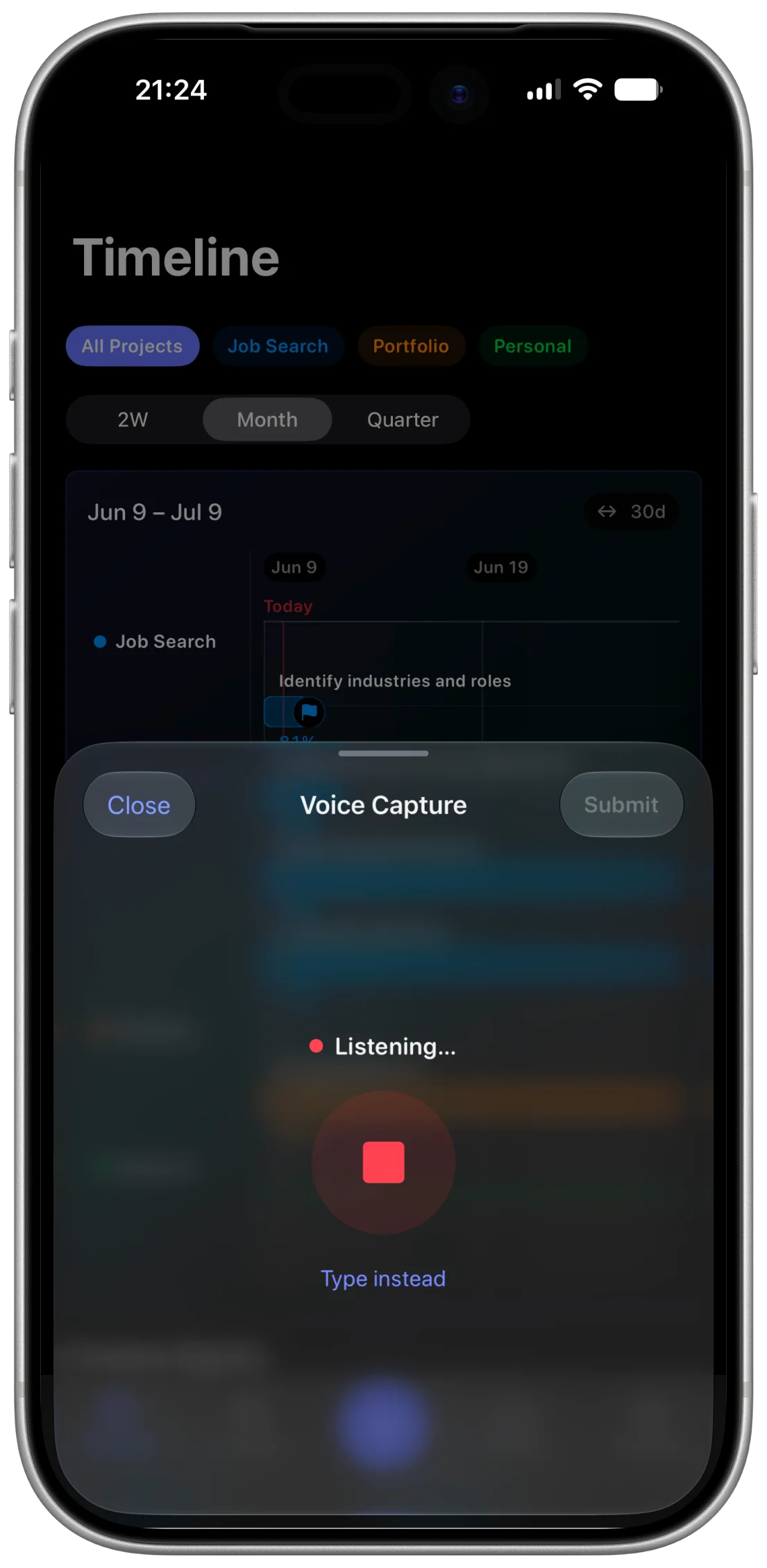
Voice Capture: the sheet opens already listening, so the cheapest way in is the default one, and what comes in is rough
02
Ask One Thing
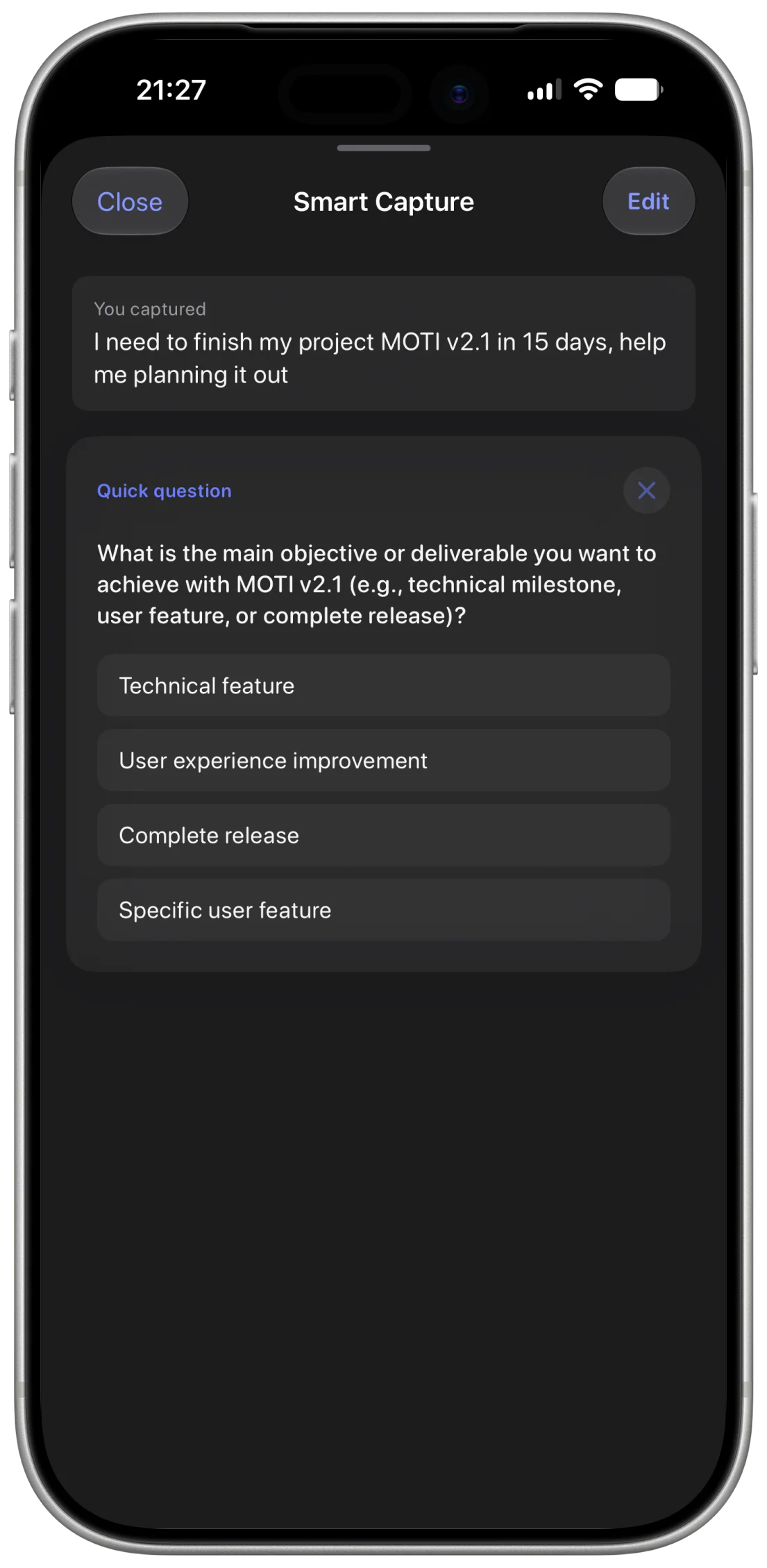
Smart Capture: the sentence names a deadline but not a deliverable, so Moti asks one question instead of guessing
03
Propose, Do Not Commit
Proposed task: it flags what it inferred, then offers Add to Timeline, Refine or Dismiss, and one of those is no
04
It Waits for You
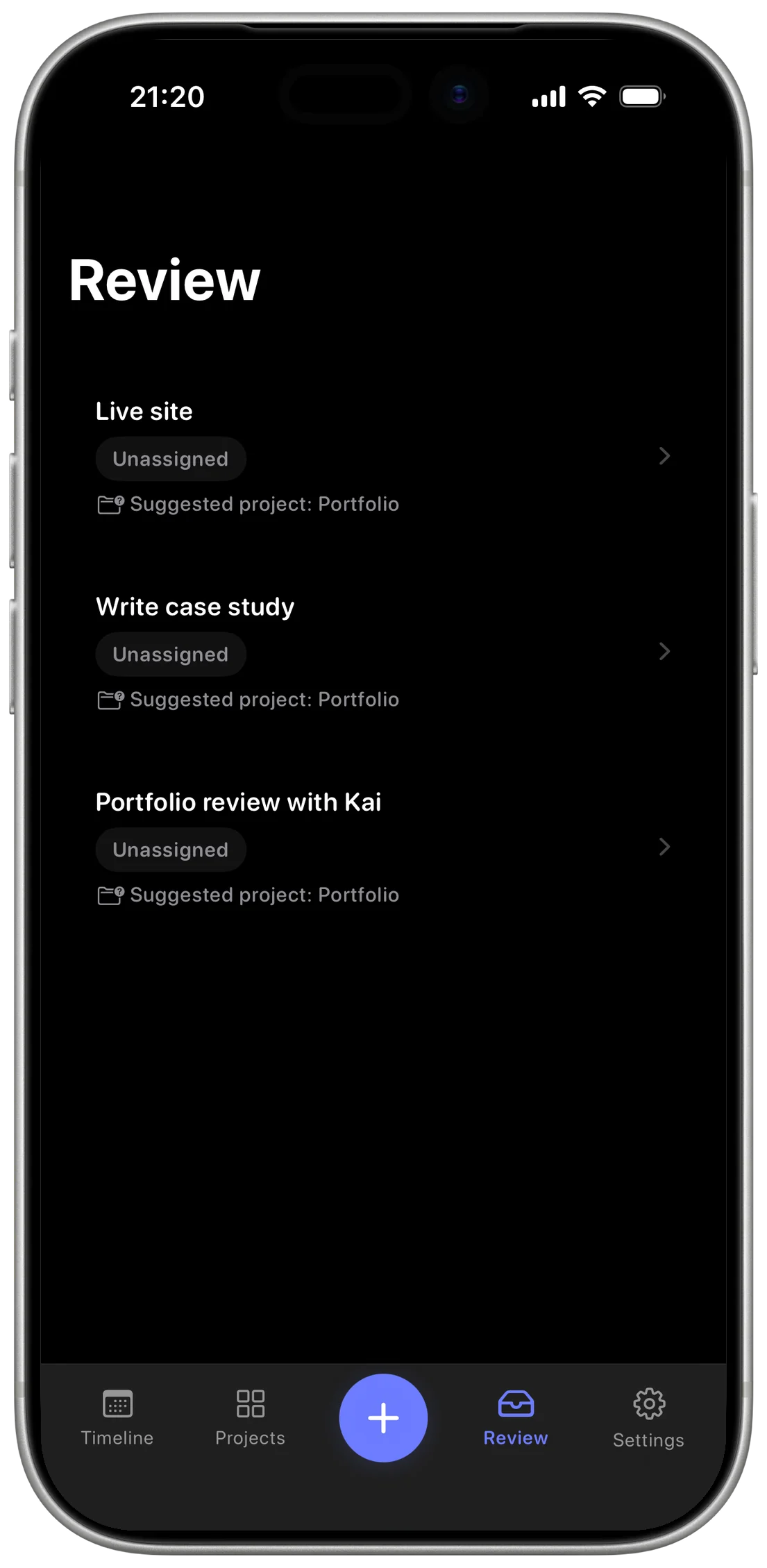
Review: the pieces it pulled out wait here with a suggested project each, and none of them is on the timeline yet
05
Work Has a Shape
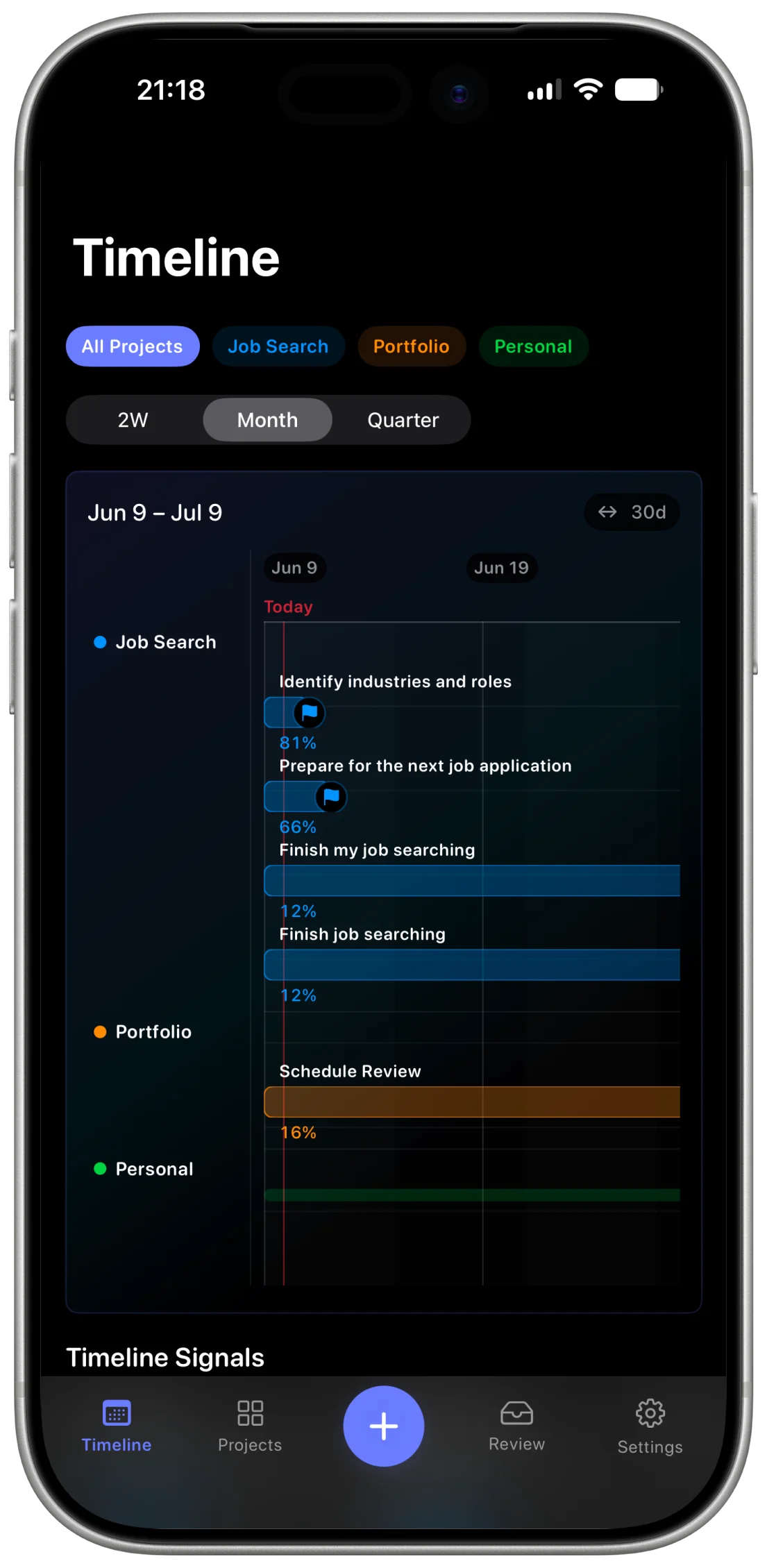
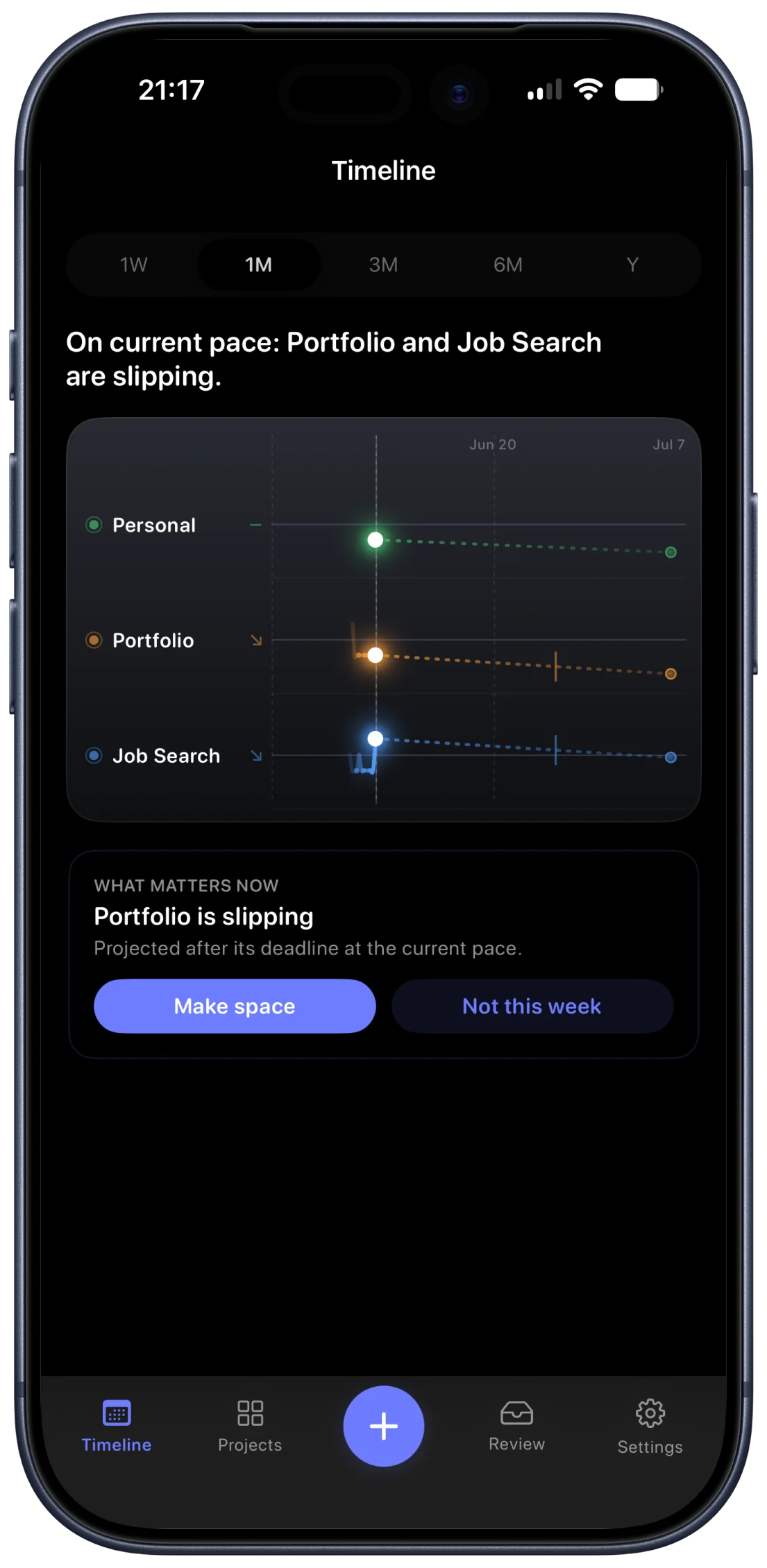
Timeline: once accepted, work runs as parallel streams with a percentage each, so pace reads at a glance
06
Check In
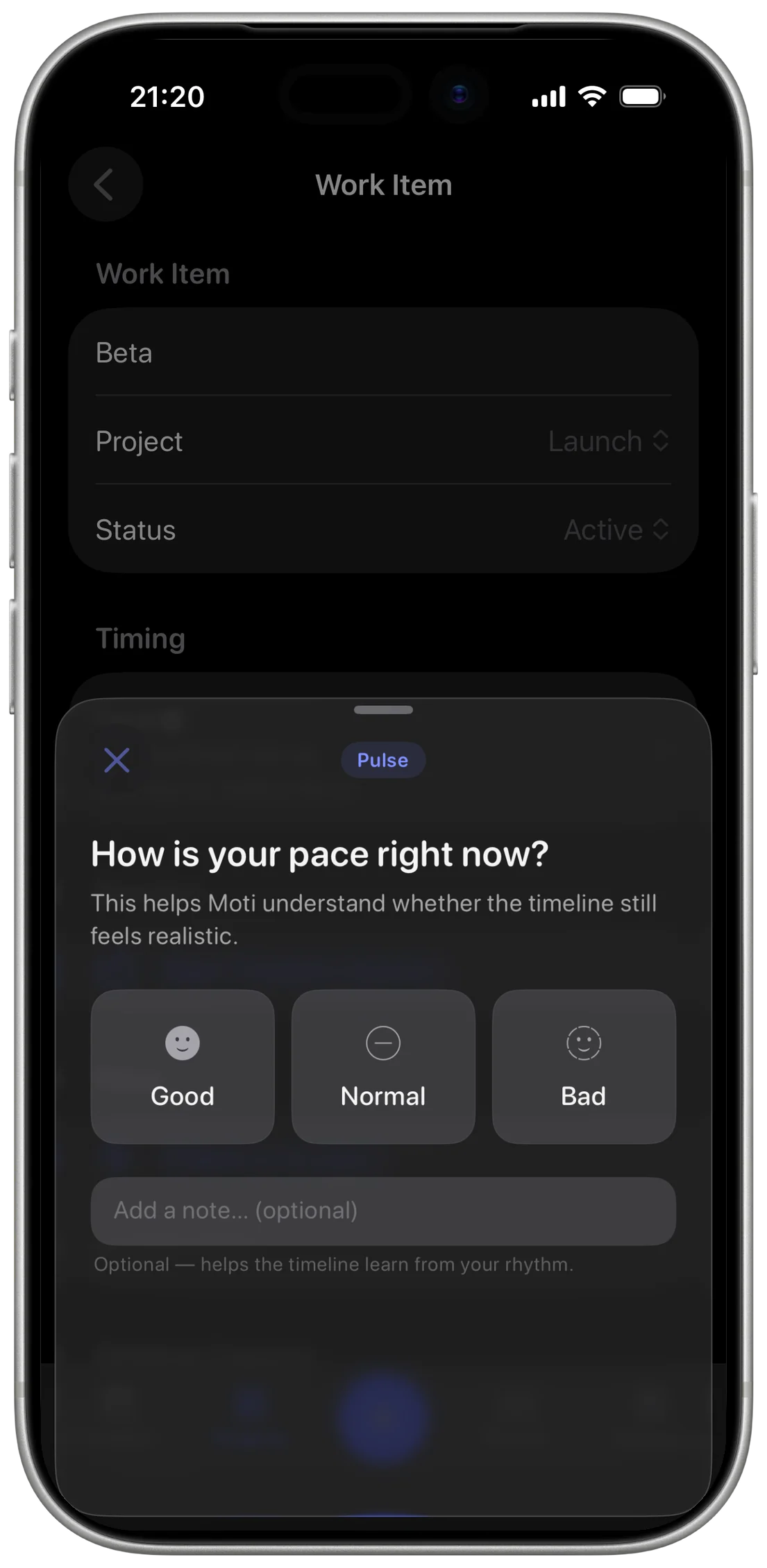
Pulse: a percentage cannot say whether the pace is realistic, so at 25, 50, 75 and 100 percent Moti asks how it feels
07
It Says When You Are Drifting
What matters now: the check-ins feed a projection that names what is slipping, and the decision comes back to you: Make space, or Not this week
A plan you can refuse is a plan you can trust.
Nothing in this loop asks you to file anything. When Moti is unsure it asks instead of guessing, and when it proposes, one of the three answers is no. Everything else is its job.
Intelligence
Three jobs that no single model does well
The loop above contains three jobs with nothing in common. A due date has to be exactly right. Parsing has to be instant. Planning has to reason. One model doing all three is one model doing two of them badly.
Three Tiers, Three Jobs
01
Rule-Based
Dates, checkpoints and timeline math. Computed, never inferred, because a date that is usually right is a bug you cannot see.
02
Foundational Model · SLM
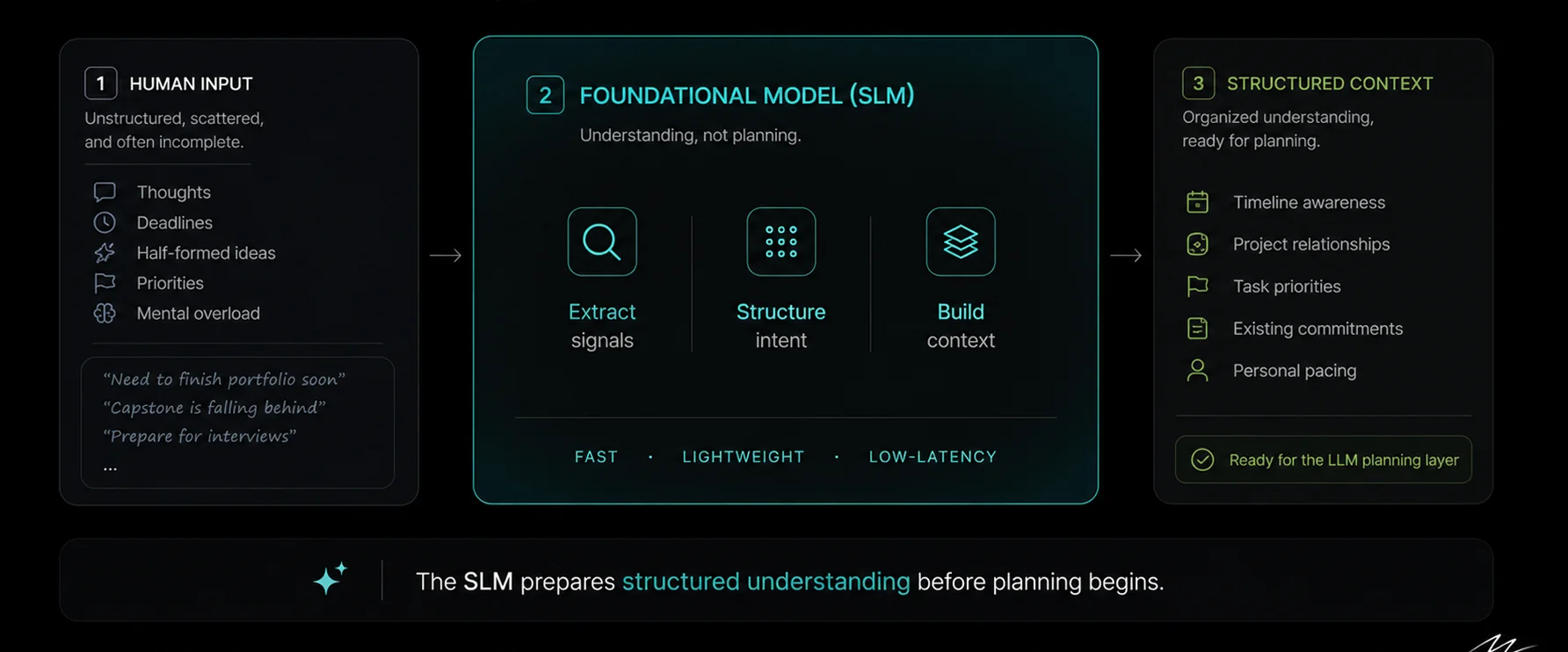
Reads the sentence while you are still looking at the screen. Understanding only. It stops before planning.
03
LLM
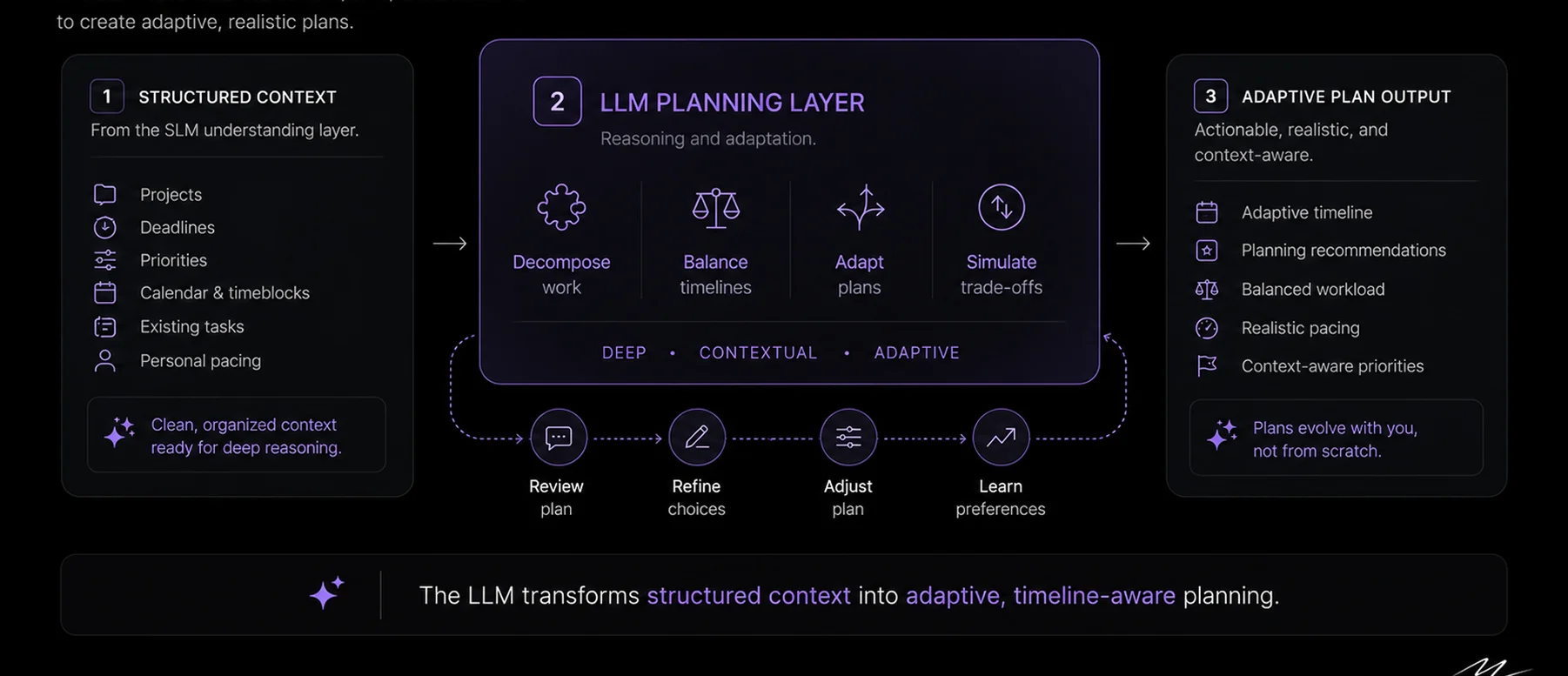
Weighs a launch against a lease renewal. Judgment across projects, and the one job worth the wait.
Stage one: three columns, and the middle one only understands: extract, structure, build context, then hand off
Stage two: the loop under the planning layer is the part that matters: review, refine, adjust, learn
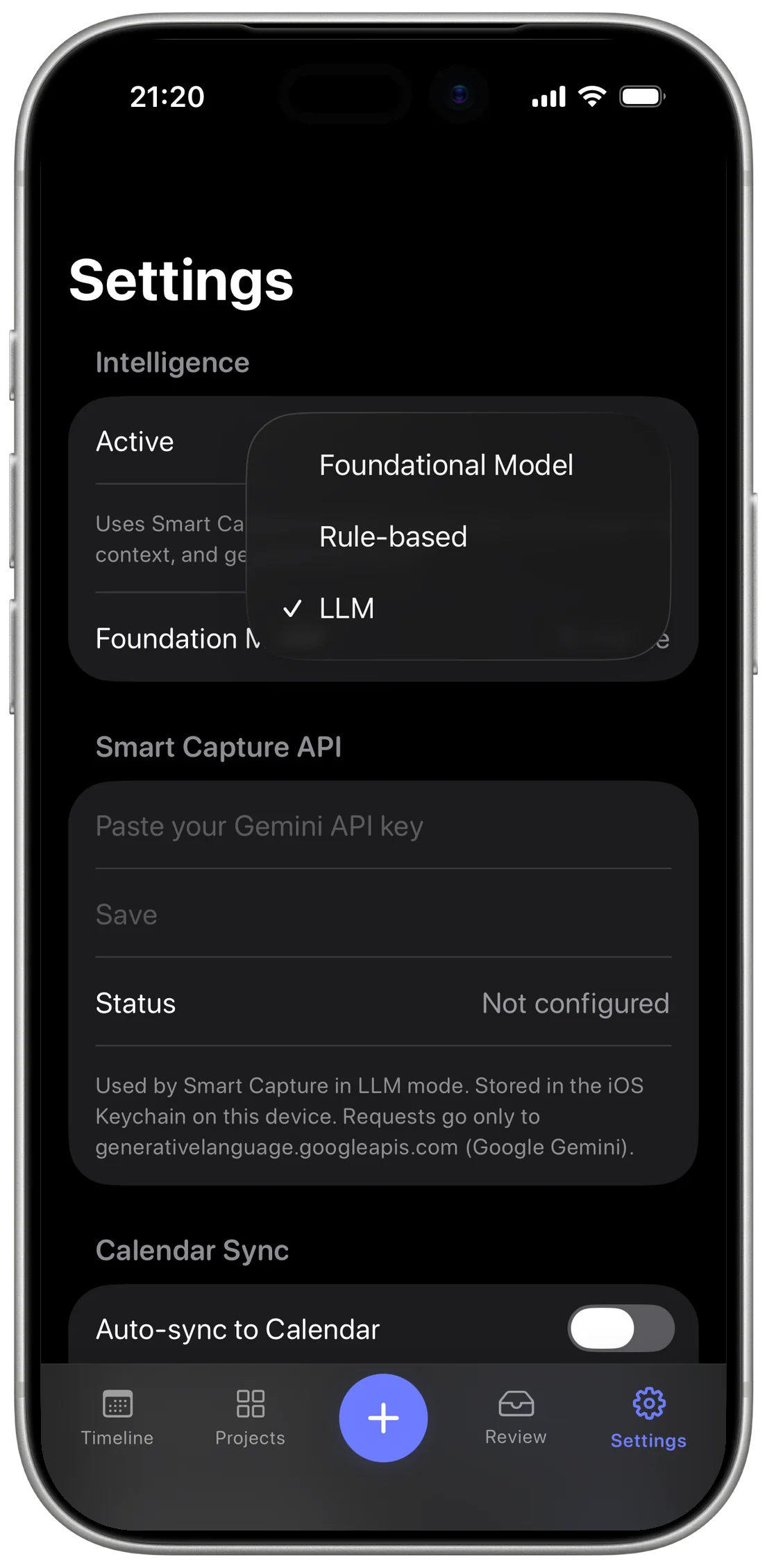
Settings: all three modes ship, the picker decides which one runs, and the LLM key stays in the Keychain on the device
The tiers are not a hedge. Understanding is the step nobody owned, and it is the one job that needed a model of its own.
Build Journey
Specified first, then rebuilt twice
All three tiers were in the spec before any code existed, with how Moti should behave, how you talk to it, and what it looks like. What no spec could settle was how far to trust the model. The three versions below are that question, answered with real builds.
V0
Rule-Based Prototype
Testing the core interaction loop
What Broke
Trust broke under complexity.
Learning
The interaction model worked. The intelligence layer had to evolve.